Work Profile Horse list
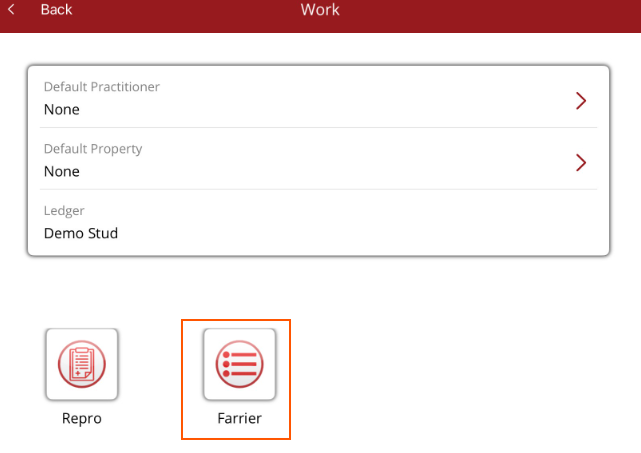
Select the Work Profile you want to work with from Work selected from the Home Page.
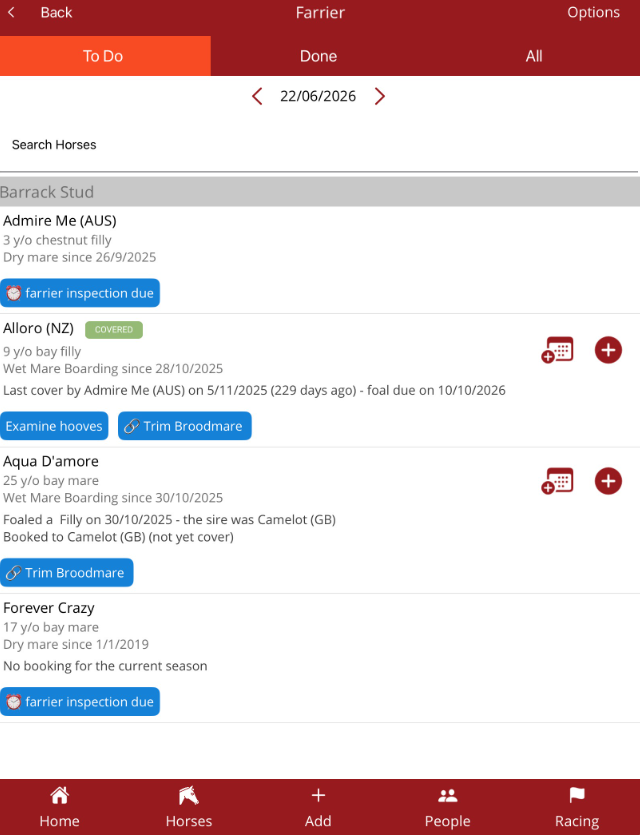
The Work Profile Horse List will be displayed for the date shown at the top.
In the top right hand corner there is an Options menu where you can filter the list, copy yesterday's work, add a horse and show the brands on the list.
The list is broken down into three tabs:
- To do - work scheduled for today
- Done - work completed today
- All - show all horses even if no work has been allocated
Tap on a horse in the list to view the Horse Profile current work tab.
You can action work via the horse list. Tap on the work item under the horse in the list and an Options menu will be displayed.
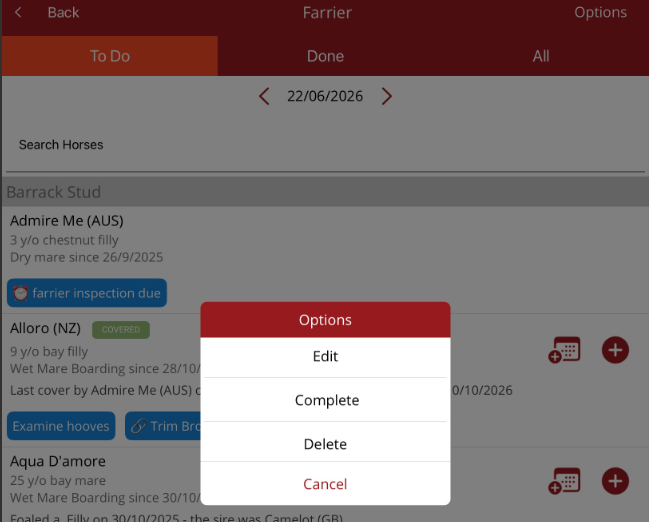
You can
- Edit - make changes to the work
- Complete - mark the work as completed
- Delete - delete the work item
If work is scheduled, then a calendar will appear next to the horse details. When the calendar is tapped, a list of work done on the horse will be displayed. Scheduled work will have a tick next to it.
Note - only work items will appear on the calendar. If a reminder has been set and no other work the calendar will not be displayed.
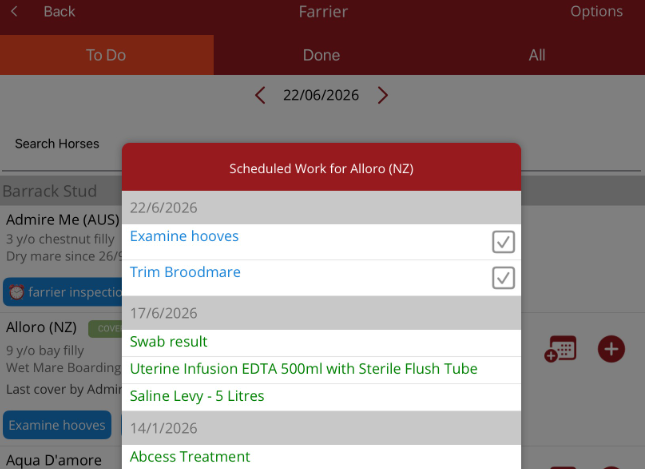
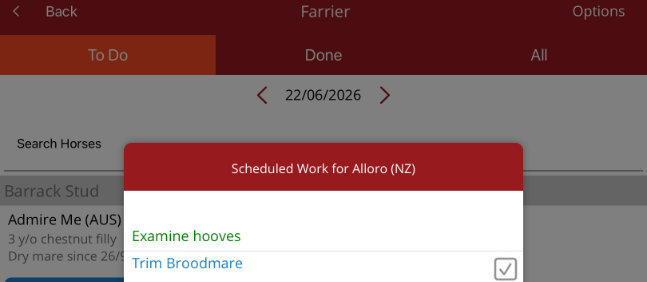
Tap on the tick and the work will be marked as completed. Multiple items can be marked completed. Tap back on the list to close the calendar.
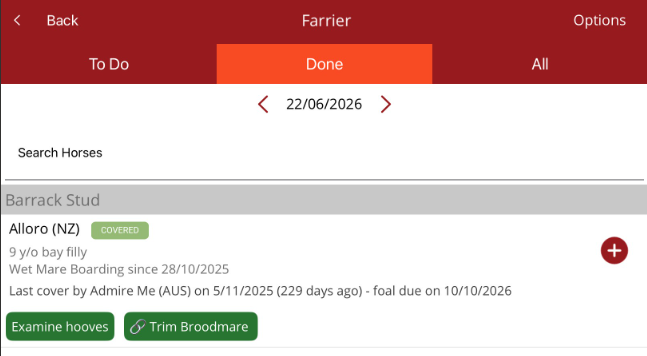
When all work has been completed for a horse, the horse will move to the Done tab.
The plus (+) found on the horse list allows a reminder to be set for the horse indicating when it needs to be seen. The plus can be used to set up reminders on a specific day.
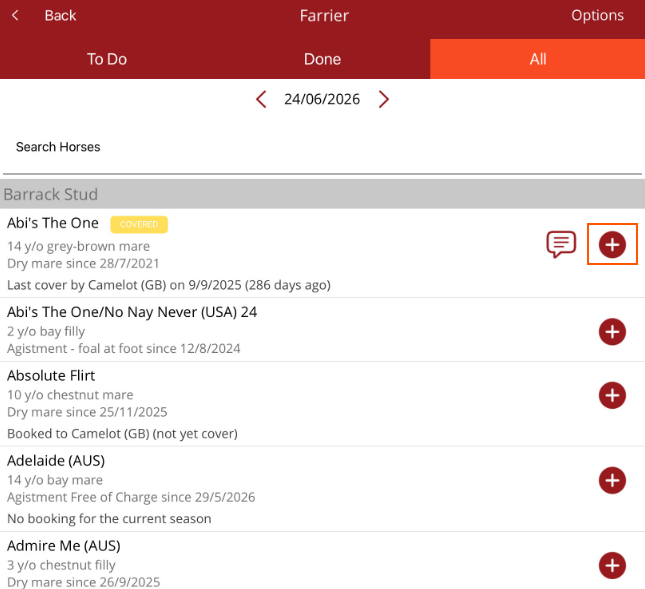
e.g. if a farrier is visiting in two days, move to that date, select the All tab, search for a horse that needs to be seen and select +. A reminder will be set for that day. Continue to do this until all reminders are set. The horses selected will appear on the To Do list for that date.
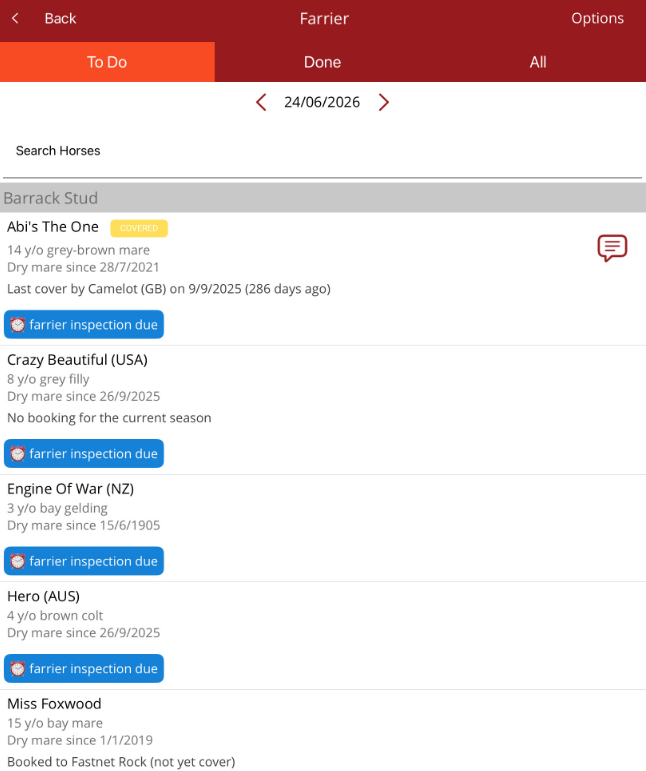
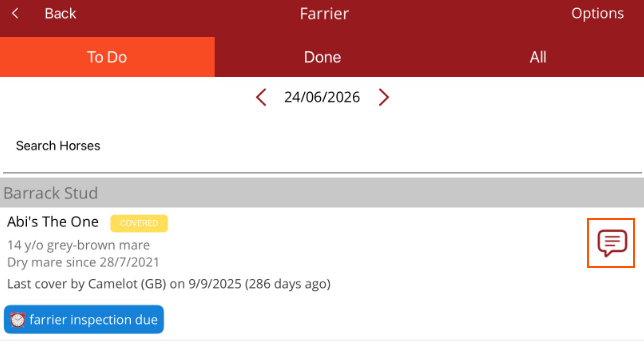
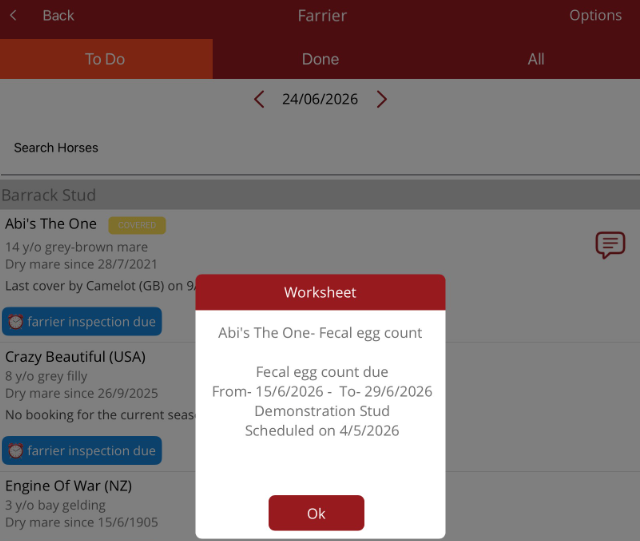
There is also a small note that appears next to a horse's details on the list if there is a worksheet reminder that needs to be actioned. Tap on the note to see what action is required. This is a reminder. The procedure to perform the required work will need to be created for the horse and actioned within the date range shown for the worksheet reminder.
Once the procedure is scheduled to be done, the worksheet reminder can be deleted on the Premier desktop.