How to shortlist a mare
Shortlisting a mare allocates her to be served on a particular date. Once shortlisted, the mare appears on the Shortlisted list in the Shortlist Planner for that date, ready to be added to a stallion's serve schedule.
There are two ways to shortlist a mare
- From the mare's record in Repro or
- Directly from the Shortlist Planner.
Before you begin: Repro and the Shortlist Planner are permission based. If you cannot see these options in the app, please contact your Premier administrator, who can arrange access through Ardex Support (support@ardex.com.au).
Method 1 — Shortlist a mare from Repro
Use this method when you are already working with the mare in Repro — for example, after completing a reproductive exam.
1. From the Home Page, select Work, then open Repro.
2. Select the mare you wish to shortlist.
3. Select Shortlist at the bottom of the Current work.
4. Choose when the mare is to be shortlisted: select Today, or enter the number of days until the mare is to be shortlisted.
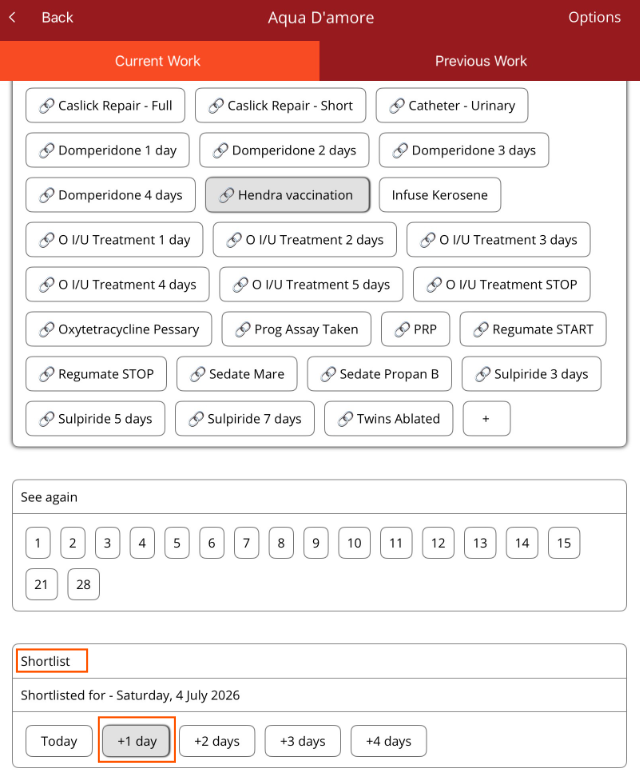
The mare will now appear on the Shortlisted list in the Shortlist Planner on the selected date.
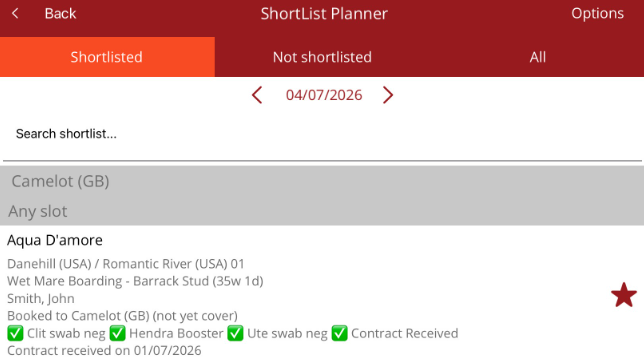
Method 2 — Shortlist a mare from the Shortlist Planner
Use this method when you are planning a particular day's serves and want to add mares to that day directly.
1. From the Home Page, select Breeding, then open the Shortlist Planner.
2. Use the arrows either side of the date to navigate to the date the mare needs to be shortlisted for.
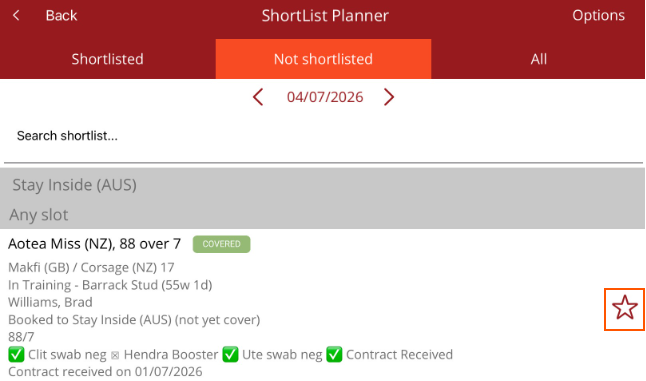
3. Select the Not Shortlisted tab. This displays all mares with a booking that have not yet been shortlisted.
4. Find the mare — you can use the search bar to locate her by name.
5. Tap the star on the right-hand edge of the mare's entry.
The star will turn solid red and the mare will move to the Shortlisted list for that date.
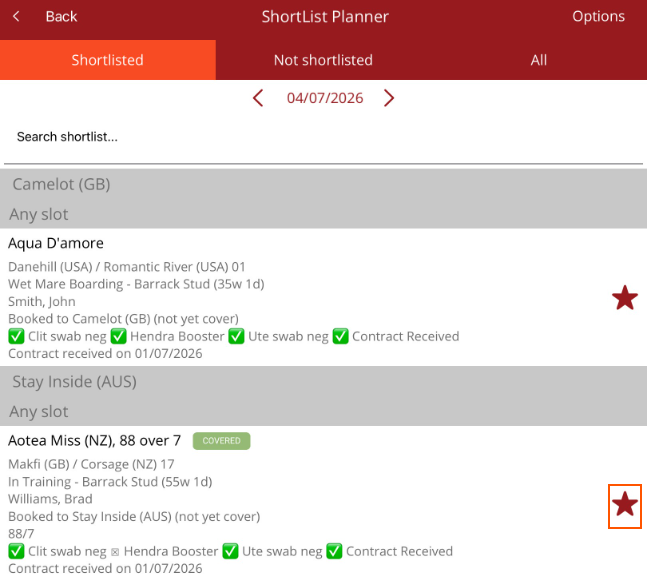
Understanding the star icons
• A solid red star means the mare is shortlisted for the date you are viewing.
• An outline star means the mare has not yet been shortlisted for that date.
Tapping the star toggles the mare between the two states, so a mare who has been shortlisted in error can be removed from the shortlist in the same way.
Tips
• Check the date at the top of the Shortlist Planner before tapping the star — the mare is shortlisted for the date currently displayed.
• Once a mare is shortlisted, swipe right on her entry to mark her for an AM or PM covering.
• The row of ticks under each mare shows her compliance procedures. A missing tick indicates a procedure that has not yet been recorded and may need to be resolved before she can be served.