Upload Voice Notes
Upload saved voice note with the option to email owners
When a voice note is recorded and and then saved on the app, it will be displayed in Upload voice notes under Media. You need to be connected to a WiFi network or have acces to a 4/5G network to perform the upload.
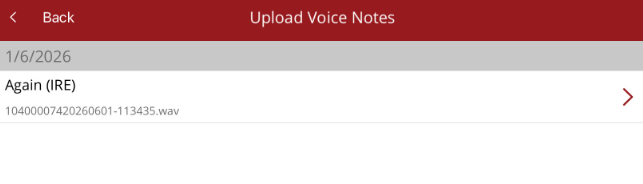
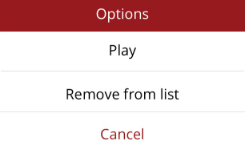
- Play - play the voice note (audio recording)
- Remove from list - deletes the voice note. It will not be uploaded or saved against a horse
At the bottom of the screen, you have two options
- Upload and e-mail owners - voice note is saved against the horse and also emailed as a progress note to the owners/interested parties
- Upload without e-mailing - voice note is saved against the horse but not sent out
Both will upload the voice note and save it to the horse. Once uploaded it is available to be listened to, and attached to progress notes from the Recent Media option under Media.
