Home Page
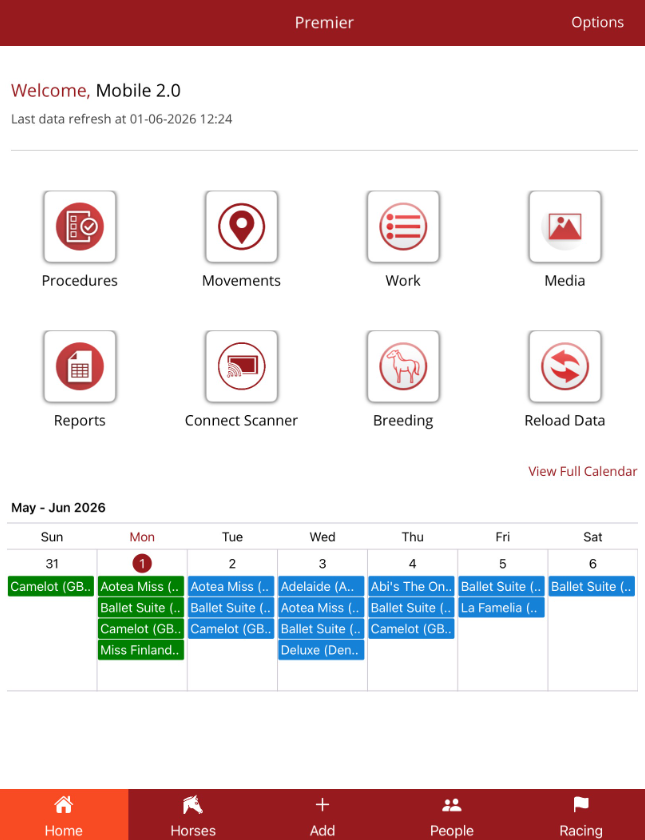
When you log in you will be taken to the Home Page of the app. The features that you can see on the Home page are controlled by the permissions that have been allocated to you when your employee record in Premier was created and when your mobile user was set up by the Support team.
If there is an option missing that you need, please advise your admin and they can contact support@ardex.com.au to resolve the issue.
The Home page is broken down into 4 main sections
- Options - is found in the top right hand corner and allows a user to see personal information, app info and allows a user to log off.
- Features - are permission based
- Calendar - permission based - view the weekly calendar on the Home page or view the full calendar to see all work for a month
- Bottom navigation menu - is accessible from most screens in the app and includes features depending on the user's permissions