Horse Movement
Horse movement allows a movement procedure to be added to one or multiple horses and can selected when Movements is chosen from the Home page.
When the Horse movement option is selected, the procedure will default to Movement and show the default fields for this procedure. You can change the procedure by tapping on the Procedure field. All movement procedures in you database will be displayed.
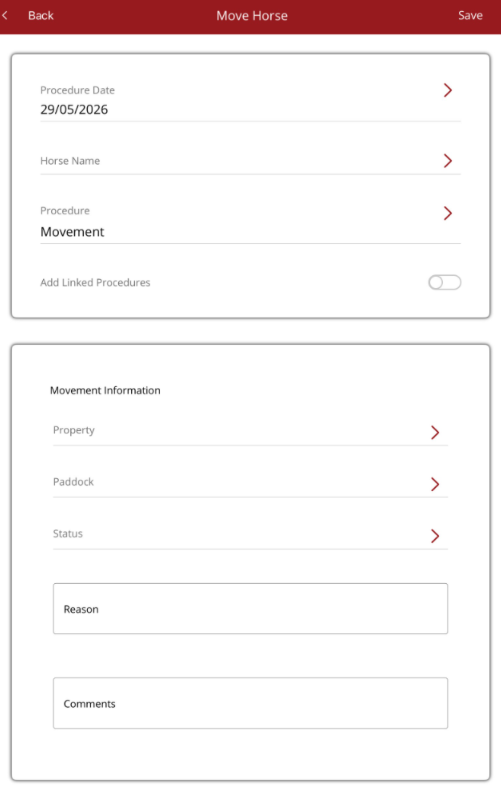
Always select the relevant movement procedure first so the required fields appear. The bottom section will change depending on the procedure selected. Select the horse(s) to move then complete the relevant fields on the screen and select Save.
Horses can quickly be moved from one paddock to another by selecting the Movement - Paddock procedure.
If choosing Arrival or Departed, select the property first so the horse lsit is filtered to the relevant horses.
If there are linked procedures for a Movement procedure, they will also be added if the Add linked procedure toggle is turned on.
Note - horses will not appear on the mobile app as moved until the procedure has been approved in Premier. You can see which movement procedures have been approved by going to the Movement List.