Upload images
Upload saved images of a horse
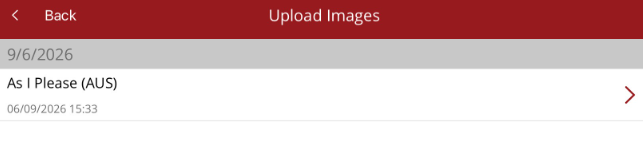
When a photo is taken and then saved in the app, it will be displayed in Upload Images under Media. You need to be connected to a WiFi network or have acces to a 4/5G network to perform the upload.
When a media file listed is pressed, the Options menu will appear.
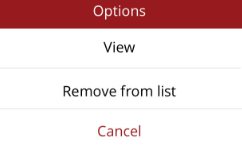
- View - view the photo
- Remove from list - deletes the photo. It will not be uploaded or saved against the horse
At bottom of screen you can Upload Images. This will save the photos listed to relevant horses.
Once uploaded the photos are available to be viewed and attached to progress notes from the Recent Media option under Media. Photos will also be visible to Ardex Premier workstation users, after synchronisation.
