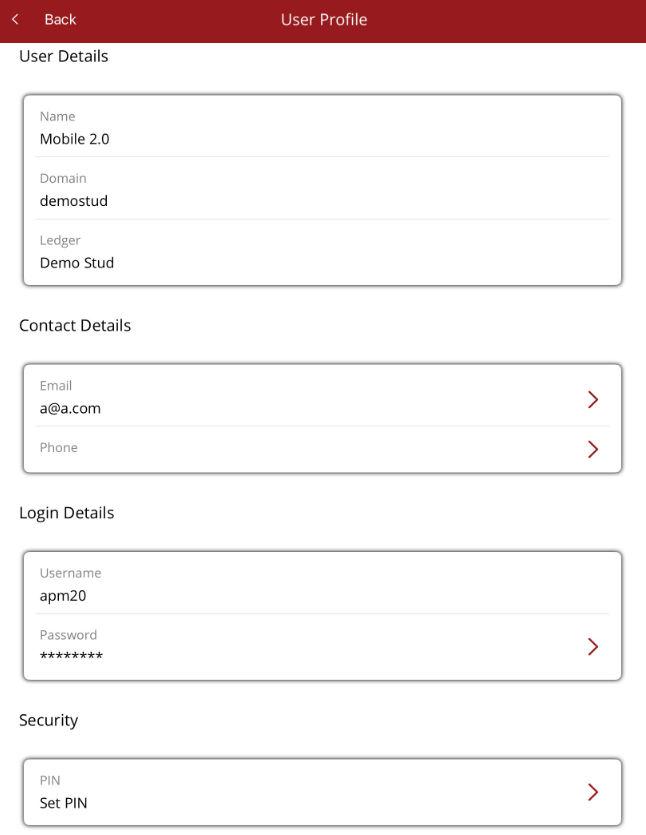
User profile
User details, contact details, password reset and set/change a pin
The User option page allows a user to manage their details and login information.
- User details
- User's name
- Domain logged into
- For multi ledger databases, shows the ledger the user is logged into. The ledger can be switched here but only ledgers that the user has access to will be displayed. If a ledger is missing, ask your Premier database admin to add the ledger via your employee record.
- Contact details
- Displays the following. Select to make changes
- Phone
- Displays the following. Select to make changes
- Login Details
- Displays the following
- Username
- Password - this is masked.
- Click on the password to change it. You will need your current password. If you can't remember your password, contact Ardex Support via support@ardex.com.au
- Displays the following
- Security
- Set/Change Pin - a pin can be set and used to log in with instead of username and password. Once set, it can be changed here.