Movements
Move horses including arrivals and departures and view a summary of movements
The Movement option allows you to add horse movements including arrivals and departures as well as see a view that displays all movements done on a date.
Note - if you don't have any movement procedures in your database or permission to access procedures, this option will not be displayed on the Home Page.
When Movements is selected from the Home Page, you can set
- Default Practitioner - will set the practitioner filter for task management and automatically add the practitioner to procedures as they are created. Set to None if you do not want a practitioner set.
- Default Property - will restrict the horse list to only horses on the selected property
- Ledger - if you have access to multiple ledgers under your database, you can select a ledger and only see procedures created under that ledger.
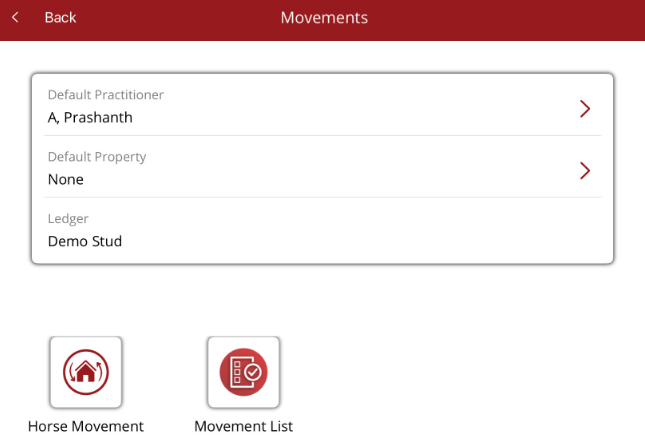
Horse Movement - will allow any movement procedure in your database to be added to one or many horses.
Movement list - Displays movements for a month listed in date order and sorted by paddock/barn (if there are any).