Horse Procedures
Displays all procedures performed on a horse
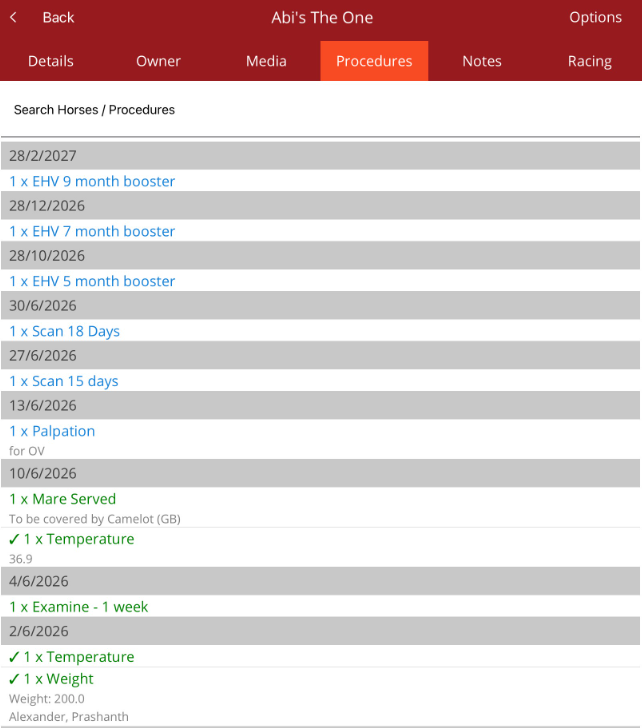
On the Horse profile, select the Procedure tab. Procedures recorded against a horse will be displayed. Includes scheduled, unapproved and approved procedures. Approved procedures have a tick in front of the procedure name.
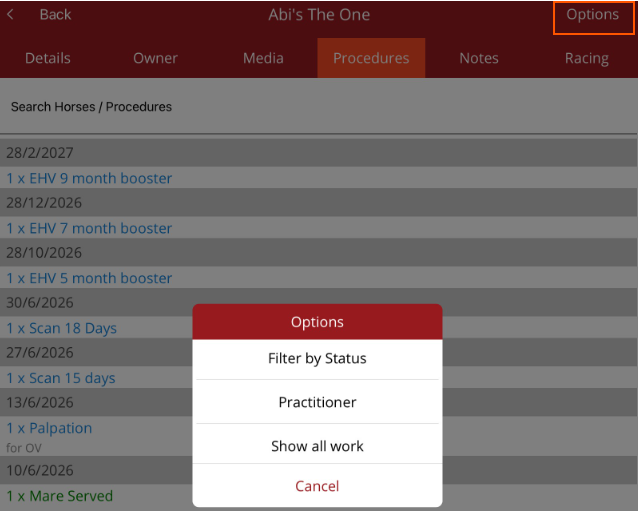
Select the Options menu in the top right hand corner to be able to perform the following:
- Filter by status - filter by Scheduled, Completed or All (default).
- Practitioner - Turn the practitioner filter on or off.
- Show All Work - only avaialble on multi-ledger databases. Default for the list is Show selected ledger work which shows procedures created on the ledger you are in. Show All Work allows you to see procedures that have also been created on other ledgers on your database.
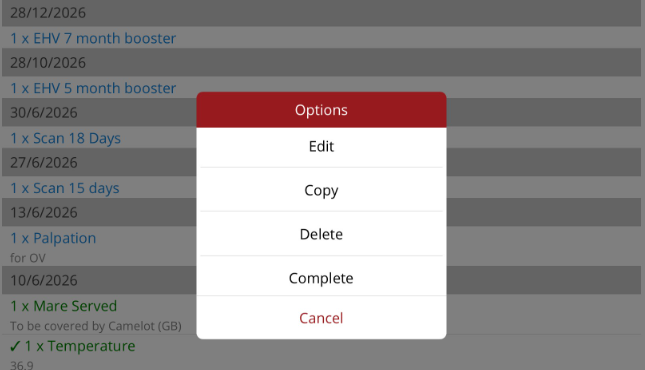
When the procedure is tapped in the list, the Options menu will be displayed. This is not available for approved procedures.
- Edit - make changes to the procedure.
- Copy - Copy the procedure then make required changes such as date, procedure scheduling, pending status etc.
- Delete - delete the procedure.
- Complete - only for scheduled procedures. Mark the procedure completed.
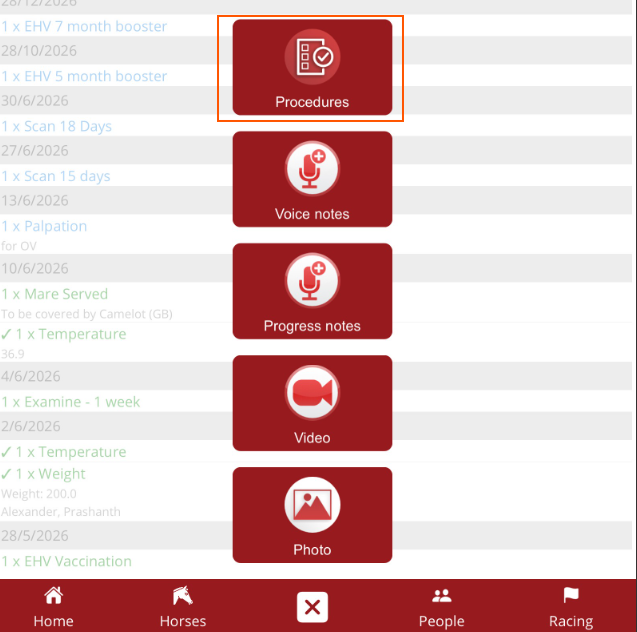
New procedures can be added by selecting the quick add menu from the bottom navigation bar then select Procedure. The horse name will be auto-populated.