How to view and manage procedures linked to a work item
View and manage work items with procedures linked
Work items can only be added to a horse via the mobile app. They do not have a financial value. If you need to charge an owner for the work item selected then a procedure within your database that has an associated cost will need to be linked to the work item.
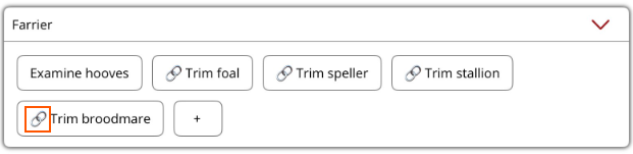
The small chain next to the work item name indicates a procedure has been linked to it.
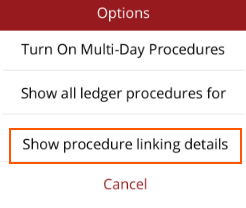
Under the Horse Profile Current tab you can view which procedures are linked to work items. Go to Options at the top right hand corner and select Show procedure linking details.
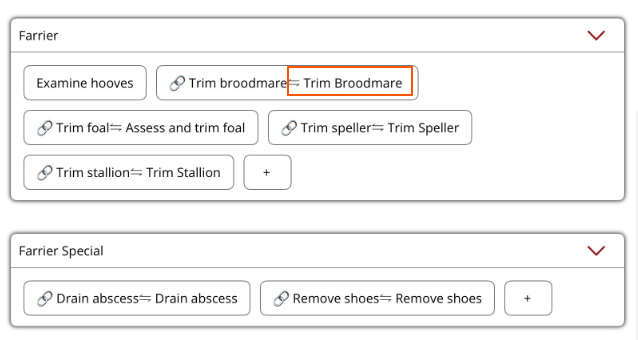
The procedure that has been linked wiil be shown next to the work item in the work section(s).
- To edit the procedure linked, hold down on the work item and select Edit from the menu.
- To remove the linked procedure, hold down on the work item, and delete the work item. Re-enter the work item (if still needed) and add it without a linked procedure.