Where can a procedure be added from
Bottom navigation and full calendar allow a procedure to be added
The ability to add a procedure is permission based. If you don't have access, please contact your Premier Administrator.
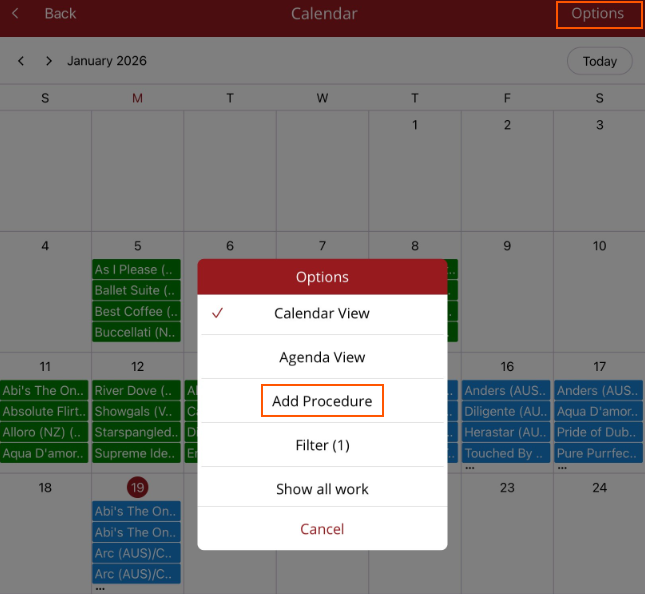
There are two places that a procedure can be added.
- Bottom Navigation - Quick add menu - Once selected the menu options will be displayed. Select Procedures.
If you are in the horse record and select + Add - Procedure then the horse name is automatically populated on the Add procedure screen.
- Full calendar - Calendar view or Agenda View - Options - Add Procedure