Calendar Options menu
Manage work and what is viewed on the calendar
The Calendar Options menu can be accessed at the top right corner of the calendar
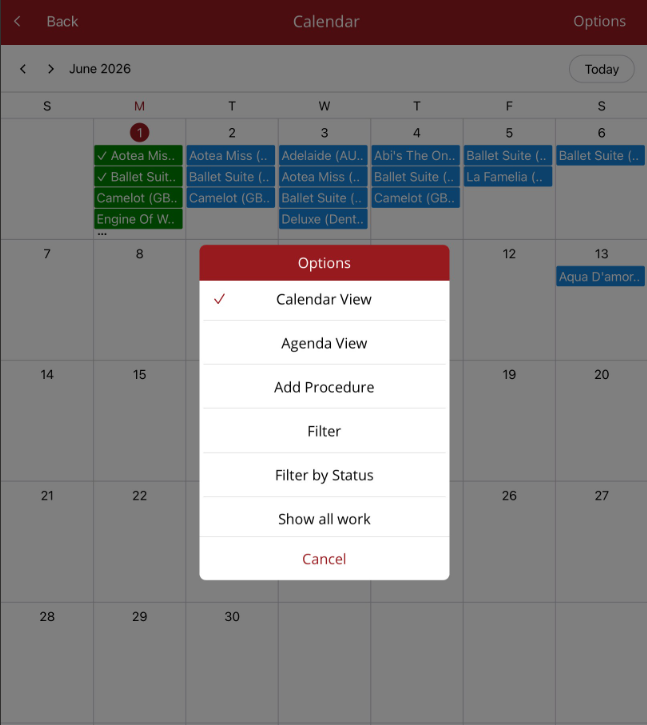
- Calendar View - display the Full Calendar
- Agenda view - shows a list of procedures in date order (for a selected day)
- Add Procedure - the add procedure screen will display. Enter procedure details then save as either a scheduled or completed procedure.
- Filter - allows the user to filter procedures by
- Paddock
- Practitioner
- Age
- Type
- Trainer
- Broodmares/Progeny only
- Property
- Breed
- Sex
Note - Once set, filters will remain on and can be used throughout the mobile app until they are reset or the user logs off.
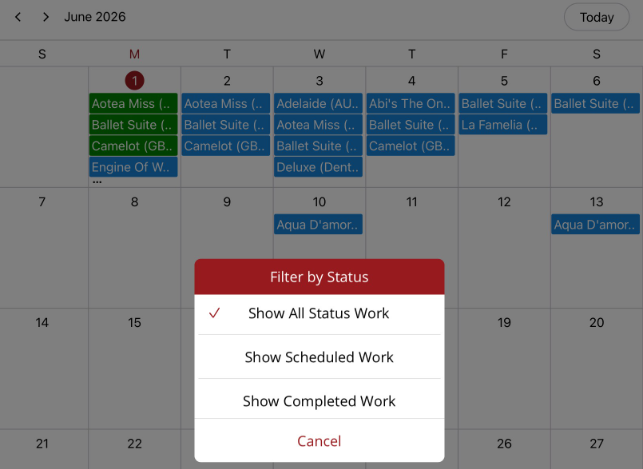
- Filter by Status - Default is All. Can also filter by Scheduled or Completed work.
Note - This filter only works on the calendar and does not remain on once the calendar is exited. - Show all work - for multi ledger databases - default will show procedures created under the ledger that you are logged into. When Show all work is selected, all work across all ledgers will be shown. Once selected, the option will change to Show selected ledger work so you can switch back.